

LinkedIn can be a great tool for promoting your company but historically the stats provided by the network were very limited. With LinkedIn stats, not any more!
Introducing LinkedIn Stats
A recent LinkedIn update has introduced a whole new set of statistics for measuring engagement on your company page.
On Page Stats
The LinkedIn company page now has on page stats under each update

Through these on page stats you can quickly see which of your updates are engaging people.
Going Deeper
If you are looking for more in-depth analysis, you can now get detailed stats on your pages too. Just go to the new ‘analytics‘ link at the top of your company page. As well as more detail on the engagement information, you can also check out the demographics of you follower base:

We believe that BSA’s services are most relevant to the SME (0-250) companies. This is certainly where we target our marketing. These stats suggest that, through LinkedIn, we are engaging with our target market. The stats also allow you to analyse by job function & seniority (amongst other things).
In-depth Insights
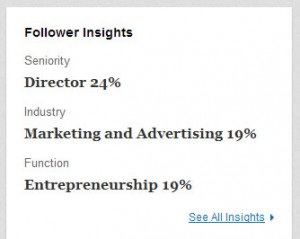 The final section to look at is the detailed insights page. To get to this page, simply click on the “xx followers” link next to the Follow button at the top right of the page, and then on the “See All Insights” link on the right hand side of the page. This will bring up a dashboard with detailed stats on all of your followers. A great feature of the internet is the feedback data you can get. You can really see how effective your marketing is being. The new LinkedIn stats definitely deliver in this respect.
