

The old saying a picture paints a thousand words is applicable when adding content to your website. A proven statistic is that blogs with images, receive 94 percent more views compared to those without images. When presented images and text on a website, the reader’s eyes are naturally drawn towards the image. These days, it is almost effortless to capture images or add images to your website content. In this article, I will give you 4 tips on adding great images to increase traffic and boost the quality of your content.
1. Relevance
The first thing you need to ensure when deciding an image for your content is whether it matches the text. If you have an image that isn’t relevant to the text then it could confuse the reader into thinking you are writing about something else. The article shouldn’t be a puzzle for them to piece together. If the article becomes too confusing the chances are they will abandon reading it.
2. Background Removal
So, you have found the your chosen image. Then the second task to do is to remove the excess background of the image. For example, if you are writing about a product you want to draw the product to the reader’s eyes rather than its background. It 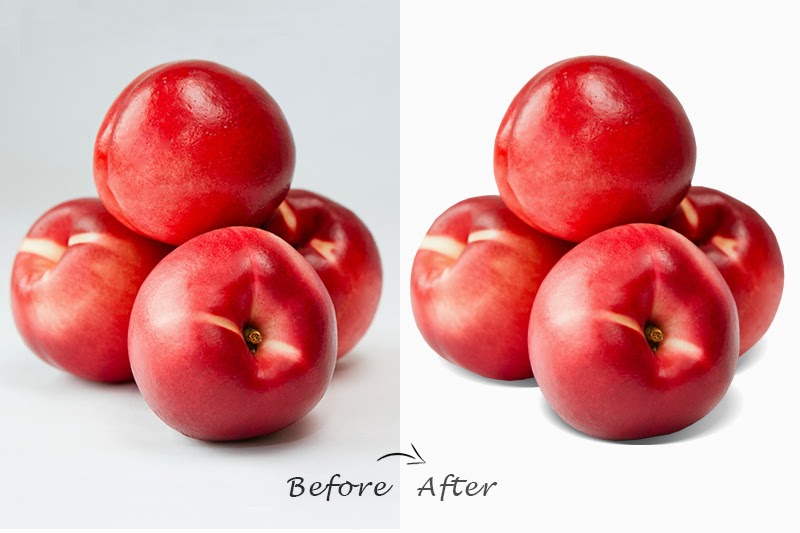 can also make the file size to be smaller, but I will get to that later. There are a variety of benefits of removing the excess background of your image, not least that it allows to make the photos look a lot more revealing and attractive. More complex benefits of removing excess background and adding to a typical white background is that you may want to use the Colour Psychology, a powerful way of communicating. The right colour pallet can help to sell your message not only in your photograph but in the whole content as well.
3. Optimising
Not optimising images properly results in extremely slow loading time. When publishing your images online, you must compress it. When uploading an image to the web you want to find the right balance between the file size and the quality. The higher your quality, the better your image will look, but the larger the file size will be. Huge image files on your site will slow down the loading of you page, this can affect your users experience and, after a period your search engine ranking. Most image editng software will have the functionality to optimise images at the point they are saved
4. Naming
Finally, when saving your image be sure to give it a correct file name. Most people just set the image as “Photo1.jpg” or “Untitled.” If you just take a minute to save your image as the correct name referencing its subject matter this too will improve your search engine optimisation. This is because the file name becomes part of the images URL, therefore a relevant name will make your URLs easier to navigate and interpret. All these steps will make our images look a lot sharper. Also, allowing your website to load faster and ultimately benefit your SEO.
